
When people work from home, Wi-Fi troubles are almost never just a minor technical annoyance. Video calls with clients, financial documents, large files, daily correspondence, and backups all rely on it. When the network starts acting up, it might seem like a minor technical glitch at first. But in reality, the losses add up — they just aren’t immediately obvious. Delays in sending files. A presentation that falls apart. Hours without a connection. The consequences often cost more than a month’s internet bill. That’s why home WiFi issues are more and more becoming not just a matter of comfort, but a factor that directly impacts the income and reputation of someone working remotely.
Unstable Wi-Fi Hurts Your Income
Remote work internet issues may seem trivial until you convert them into lost time. If a designer waits ten minutes to upload a project to the cloud, and another person has to reconnect to a video conference several times, these pauses slowly add up to hours of unproductive work each week. For hourly-paid individuals, this translates to direct financial losses. Another issue is that WiFi problems at home are often mistaken for a slow laptop or the provider having a “bad day.” In reality, the cause could be an overloaded router or an outdated encryption standard. Also, dozens of devices simultaneously using the network. In homes with smart TVs, cameras, consoles, and speakers, the load on the home network has become much greater than it was a few years ago. Given this, it’s also essential to consider security. It’s not uncommon for symptoms that people attribute to a poor signal to actually be caused by malware on the router.
If you notice that your network suddenly slows down, your browser redirects to strange sites, or your DNS settings change, check your router for malware. You can learn how to do this correctly on the professional website Moonlock. You’ll learn that routers can redirect traffic, steal data, and even be used for botnets. While these issues aren’t widespread in every home, they’re common enough so that you shouldn’t ignore regular checks of your router’s firmware, passwords, and connected devices.
Internet Speed for Remote Work. How It Affects Productivity
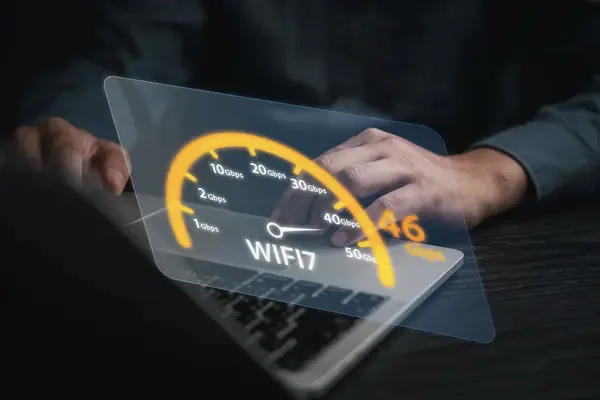
Internet speed for remote work isn’t just about the numbers in an ISP’s ads. Stability, signal latency, and consistent coverage are what matter. Someone might have a 500 Mbps plan but experience constant disconnections because of an old router or poor equipment placement. During video calls, latency—the delay in data transmission—is critical. Because of it, people start talking over each other, and the audio lags behind the video. For freelancers, these details shape the impression of professionalism just as much as their portfolio.
What most often worsens a home network
Many people use models that were current even before the mass shift to remote work. These models struggle to handle the simultaneous load from multiple laptops, smartphones, and streaming video.
Equally important is the router’s location. A device placed near a thick concrete wall physically loses part of its signal. Even mirrors and large metal surfaces can degrade coverage.
Channel congestion in apartment buildings also remains a problem. When dozens of neighboring networks operate on the same frequency, speeds drop even with a good plan. That’s why the best WiFi for freelancers is, first and foremost, a properly configured network inside the apartment.
Why cheap compromises come at a high cost
Outdated equipment may not support modern security and speed standards. Older models are more prone to heat up, lose signal, and receive firmware updates less frequently. Cybersecurity experts repeatedly warn that routers without updates are an easy target for attacks. For someone who works from home, that means not only the risk of data loss but also an unstable connection, strange traffic, and slower speeds.
Build a Secure Home WiFi Network Without Breaking the Bank
A secure home network doesn’t require complex infrastructure. The most effective measures are the basics.
- Change your router’s default password. Disable remote access if you don’t use it.
- Check for firmware updates regularly.
- Separate work and home devices. If your router supports a separate guest network, it’s best to connect TVs, smart speakers, and other household gadgets to it.
- Regularly check the list of connected devices. People often go years without noticing old phones, set-top boxes, or even unauthorized connections. These devices continue to use the network in the background.
How to determine that the problem is with the Wi-Fi
When the connection slows down, people usually blame the internet service provider, even though the problem often lies within the home. A simple test via a cable connection will quickly show you the difference between the internet itself and the wireless network. If the speed is stable via Ethernet, the cause is almost always related to the router or the apartment’s coverage.
There are also less obvious signs. If pages load in fits and starts, and streaming services regularly lower video quality, this is also a sign of network issues. A simple router reboot often helps. But if the situation repeats itself every week, don’t ignore the problem. When you’re working with clients in different time zones, even brief connection drops can damage your reputation.
Conclusion
Home Wi-Fi has a much greater impact on your work than it seems at first glance. Signal interruptions, slow connections, and security issues gradually eat away at your time and money. For a freelancer, this isn’t a minor technical issue. It’s part of your work infrastructure. Your income stability depends on it. That’s why careful attention to your own network is now as basic a professional habit as backing up files or planning deadlines. An investment in a stable internet connection isn’t always noticeable right away. But its effects become clear after a few months of work. Fewer dropped calls. Faster file transfers. Peace of mind during online meetings. Each of these directly impacts your workflow. A reliable network also helps avoid unexpected expenses. For many remote professionals, stable Wi-Fi has become just as essential a resource as electricity or a work laptop. Without it, remote work quickly turns into constant stress.